Eight steps from article to inbox. Two of them use AI.
EagleEye is an automated outreach pipeline: it finds articles relevant to a client, identifies the author, locates a contact, drafts a personalized pitch, and — if the journalist replies — drafts the follow-up. A human approves every send.
A portfolio rebuild of a real client engagement, rewritten around a fictional outdoor-gear brand, Timberline Outdoor Co. The application runs locally only. This page is the only public-facing artifact.
The pipeline, and where the model is allowed to touch it
-
01
Search
Queries news and blog indexes for articles matching a topic brief.
RULES -
02
Crawl
Fetches each result under robots.txt rules and a per-domain rate limit.
RULES -
03
Extract author
Reads JSON-LD, meta tags and byline patterns — structural parsing, no model.
RULES -
04
Find contact
Matches the extracted name against public staff pages and contact records.
RULES -
05
Draft the pitch
Writes a personalized email that cites the specific article and angle.
AI -
06
Human review
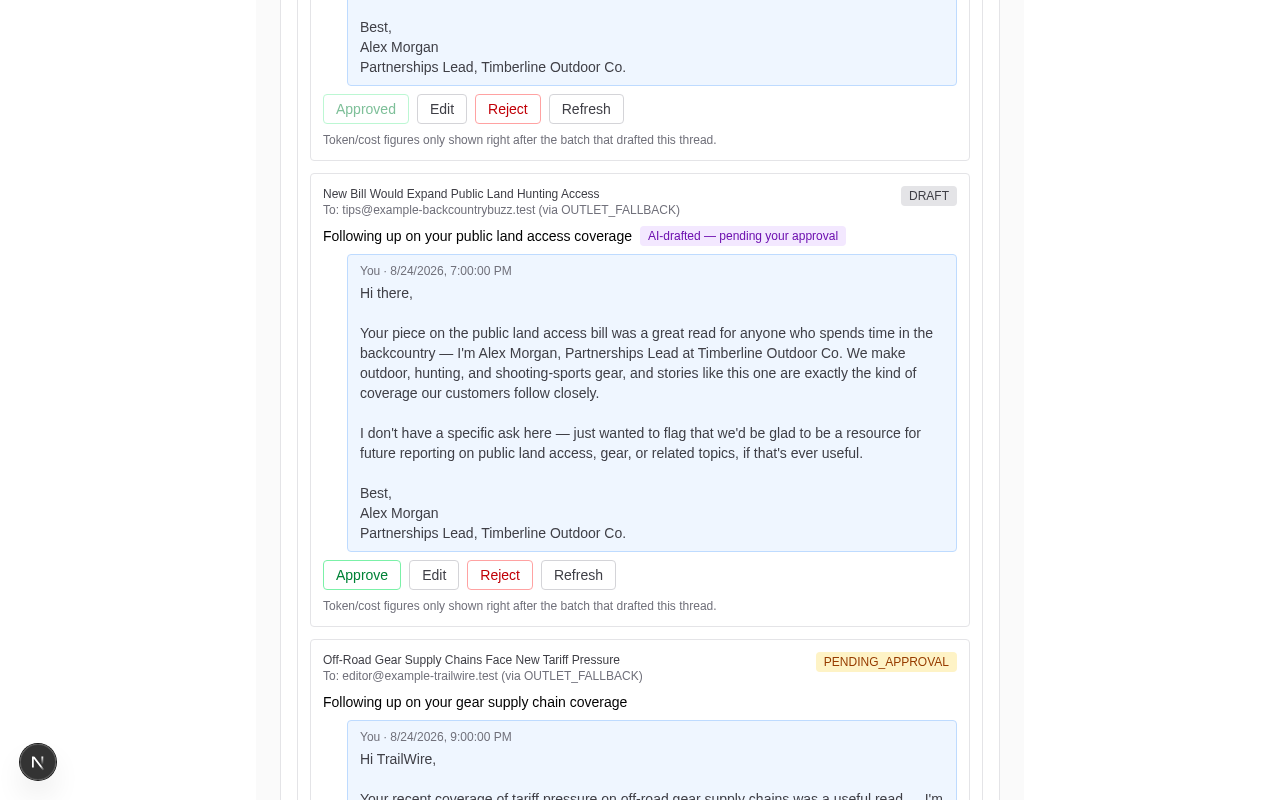
Every draft waits in a queue for an explicit approve, edit or discard.
MANUAL -
07
Send
Delivery is hard-locked to a whitelist of test addresses at the code level.
RULES -
08
Draft the reply
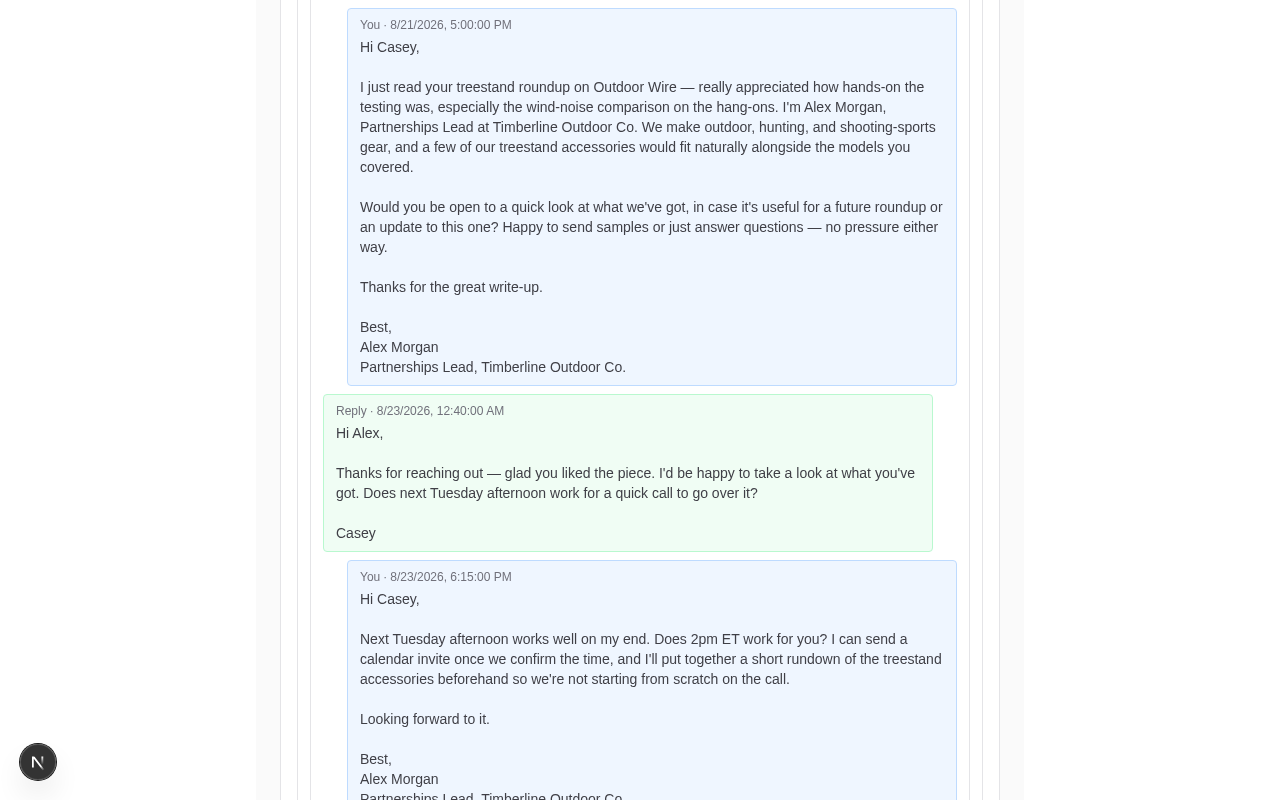
If the journalist responds, drafts a contextual follow-up — also reviewed.
AI
2 / 8
Steps that call a model
0
Emails sent without review
~72%
Author extraction hit rate
Local
Only place it runs
Four choices that shaped the build
Most of the work was deciding where automation should stop.
AI scoped to two steps only
The model drafts the outreach email and drafts replies. It never finds authors, never guesses contact details, and never decides who gets contacted — those are deterministic steps you can audit line by line.
Non-AI extraction, real failure rate
Authors come from JSON-LD, meta tags and byline patterns. It misses, and the misses are visible: one run returned the outlet Ridgeline Review as the journalist's name, lifted from a byline that read “By Ridgeline Review Staff.” A model would have papered over that with a plausible guess.
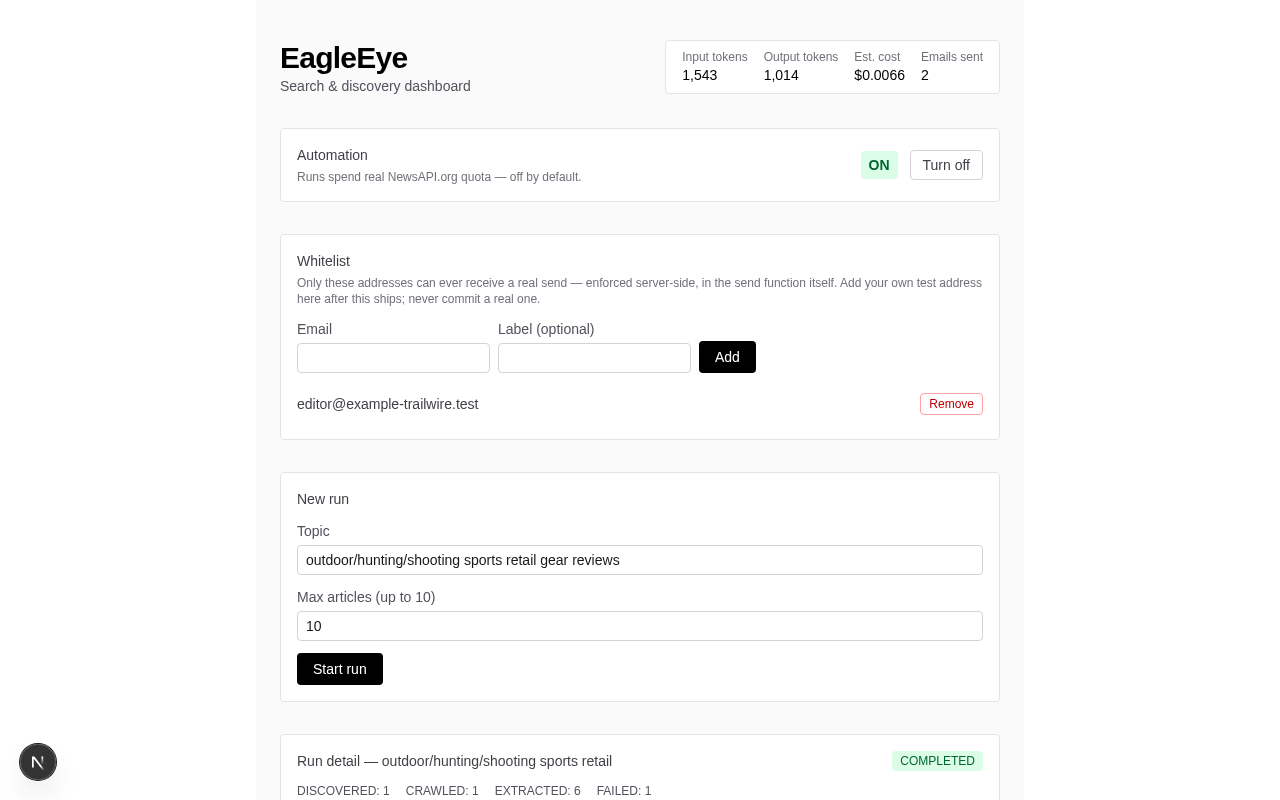
Automation is off by default
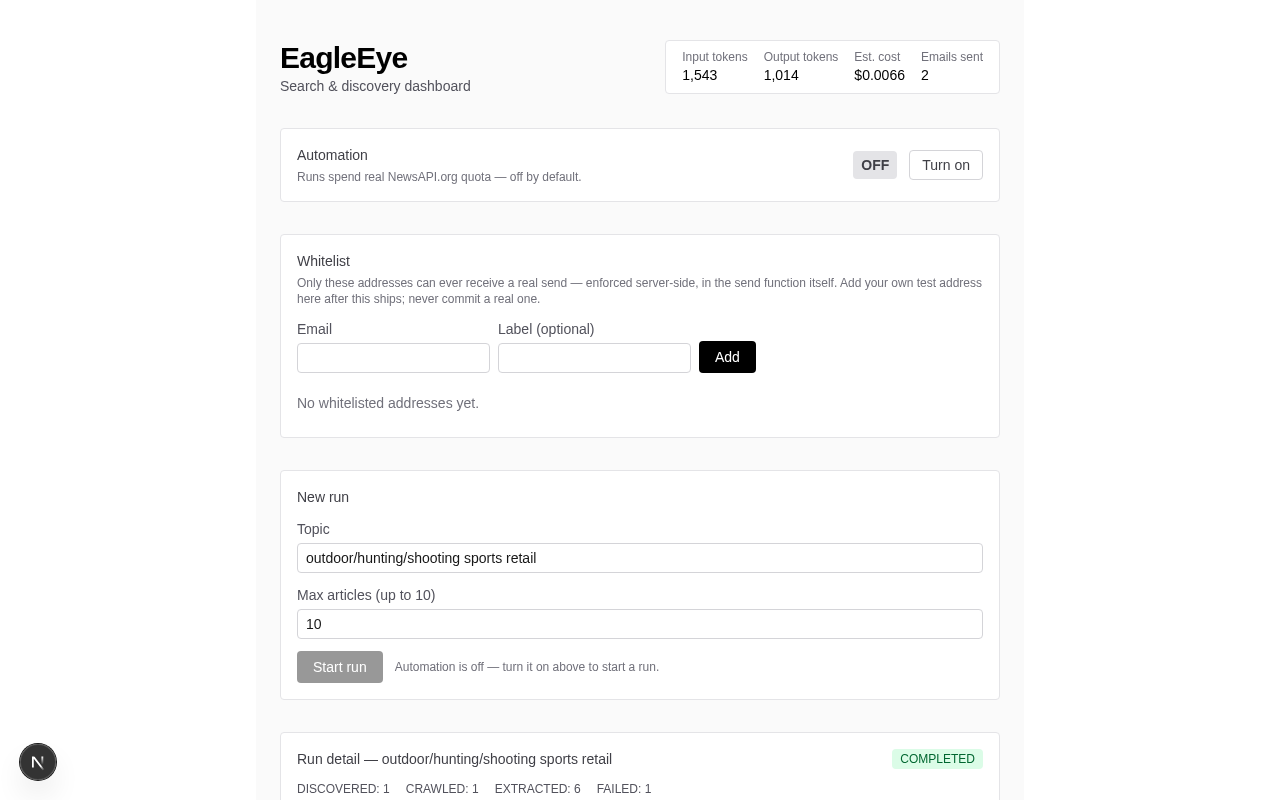
Nothing runs on a schedule. Every run starts from a deliberate manual trigger and stops at hard caps on articles crawled, drafts generated and emails sent.
Whitelist-enforced sending
Real delivery is locked to a whitelist of test addresses in the send path itself, not behind a UI toggle. A demo cannot accidentally reach a real inbox, however the interface is driven.
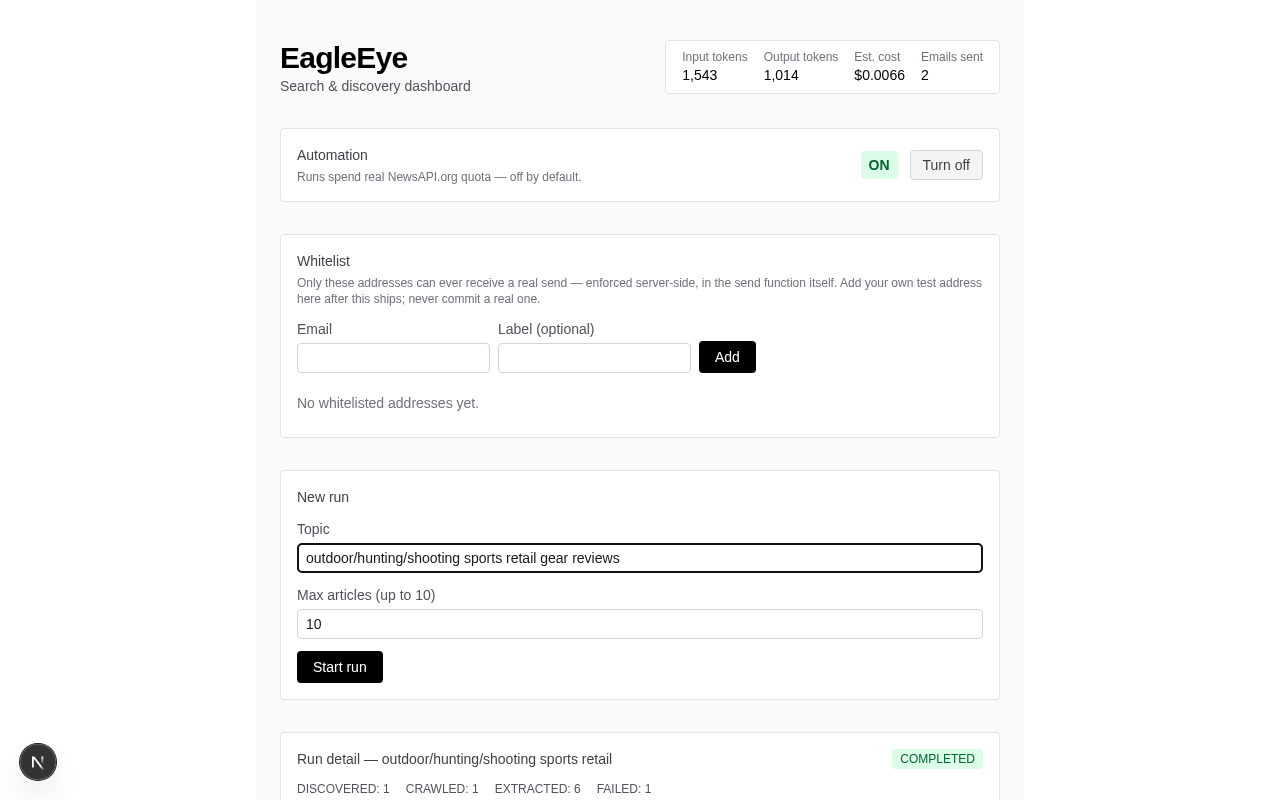
What the local app looks like
Recorded locally · fictionalized data throughout
Built with
The app runs locally only and has never been publicly deployed — this page is the single public artifact. Source is on GitHub.
Controls that exist, and gaps that don't pretend to
Built as hard controls
- +Whitelist enforcement in the send path
- +robots.txt respected on every fetch
- +Per-domain rate limiting and per-run caps
Documented as production gaps, not built
- –CAN-SPAM unsubscribe handling
- –Data retention and deletion policy
- –International consent rules (GDPR, PECR)
Want the walkthrough in person?
Twenty minutes, screen-shared, running locally — including the parts that fail.